

RFID card set-up guide
RFID Cards: The easiest way to use public EV chargers
Most EV charging happens at home because it's convenient, affordable, and easy.
But sooner or later, every EV driver will need to use public charging.
Whether you're heading away for a weekend, taking a road trip, or simply need a quick top-up while out and about, being prepared can make the experience much smoother.
One of the easiest ways to simplify public charging is by setting up an RFID card before you need it.
What is an RFID card?
An RFID card is a small card that links to your charging account.
Instead of opening an app every time you want to charge, you simply tap the card on a compatible charger to start your charging session.
Many EV drivers find RFID cards quicker and easier than using apps, particularly when:
Mobile reception is poor
You're in a hurry
The charging app is running slowly, or
You want a simple backup option
We generally recommend purchasing an Evie RFID card because it's the cheapest option. It can also be linked to multiple charging network accounts (not limited to just the Evie app).
Here is a step-by-step guide to setting up your RFID card
Step 1: Download the Evie app
Start by downloading the Evie app and creating an account.
https://evie.com.au/app-download/
Once your account is set up:
Add your payment card details.
Navigate to the RFID card section within the app.
Order an RFID card (currently $5 plus postage).
Wait for the card to arrive in the post….
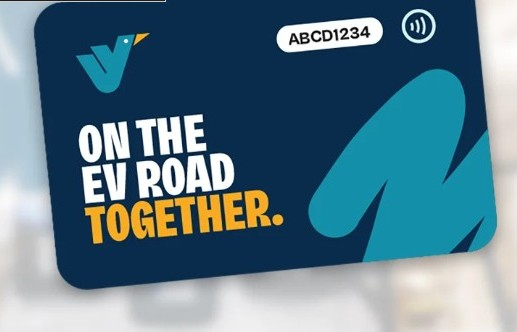
What your Evie RFID card will look like
Step 2: Activate your Evie RFID card
When your RFID card arrives:
Open the Evie app.
Navigate to the RFID card section.
Enter the RFID card number printed on the card.
Save the card to your account.
Your RFID card is now linked to your Evie account and ready to use on all Evie chargers.
However, the benefit of the Evie card is it can also be used on other platforms (Chargefox, Exploren).
Step 3: Add your RFID card to other charging networks (like Chargefox)
Many charging networks allow you to link an RFID card to your account.
If you regularly use other charging networks, download their apps, create an account and:
Add your payment card details.
Navigate to the RFID card section within the app.
Add your RFID card number on your Evie RFID card.
Save the RFID card to your account.
Once completed, you'll have a single RFID card that can be used across multiple charging networks.
Before you head off
You will still need to keep the major charging apps installed on your phone, even if you use an RFID card.
The apps can help you:
Find chargers
Check charger availability
Monitor charging progress
Access charging receipts
Troubleshoot charging sessions and contact the charger company for assistance
Start and stop charging sessions if you lose your RFID card (or it is not working)
Having both the apps and an RFID card set up before you need public charging can make charging on the road much quicker and less stressful.
Public charging is generally very straightforward, but like anything new, it can feel a little unfamiliar the first time.
We recommend visiting a local DC fast charger and doing a practice charge when you're not under any time pressure. It's a great way to get comfortable with the process and build confidence before you need to rely on public charging while travelling.
Need help?
If you're new to EV ownership and have questions about home charging, public charging, or choosing the right EV charger for your home, we'd be happy to help.
Get in touch with the team at This is Electric for friendly advice and obligation-free assistance.